Cuts Mobile · for iPhone

Edit videos as easily as text. On your phone.

Record a take or pull one from Photos. Whisper transcribes on-device. Tap words to delete them and the cut updates in the preview. Add subtitles, color, export.

30-second intro

What Cuts does on iPhone.

Projects

Cuts opens to a library now.

Each project holds a stack of related clips. Tap a project to expand it; the preview at the top plays whichever clip you've selected. Edits save as you make them.

A project is a folder of takes.

A podcast season, a vlog week, an interview round — whatever belongs together. New Project, pull files in from Photos or the camera, edit.

Whisper transcribes each clip on-device.

Cuts Mobile Projects screen — projects list with expandable file rows and a preview at top

Transcript

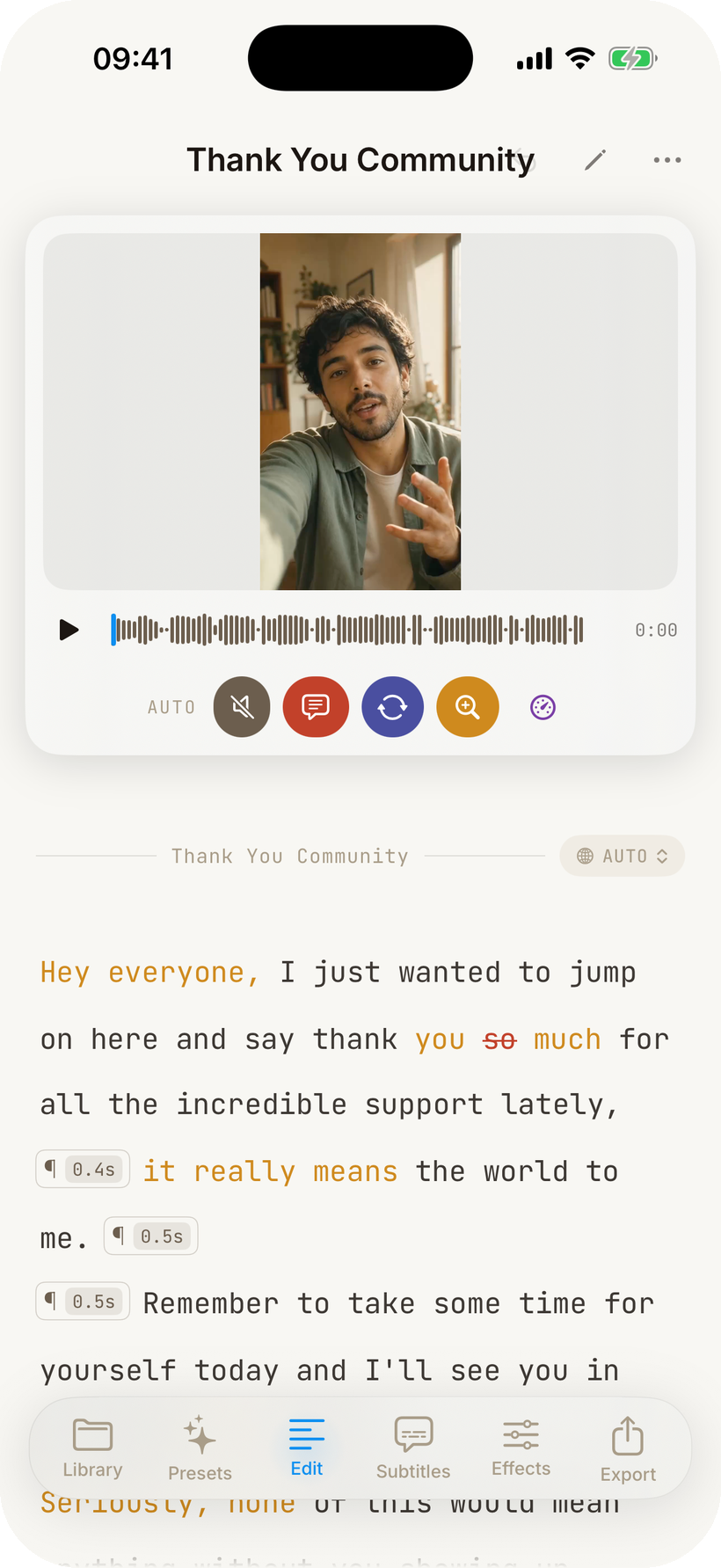
The transcript is the timeline.

Whisper transcribes on-device when the file lands. Tap a word to delete it; the cut ripples into the preview sheet at the top. Long-press for a tag, swipe for level options.

Cuts Mobile transcript view with preview at top, dark mode

Live preview

The cut you see is the cut you ship.

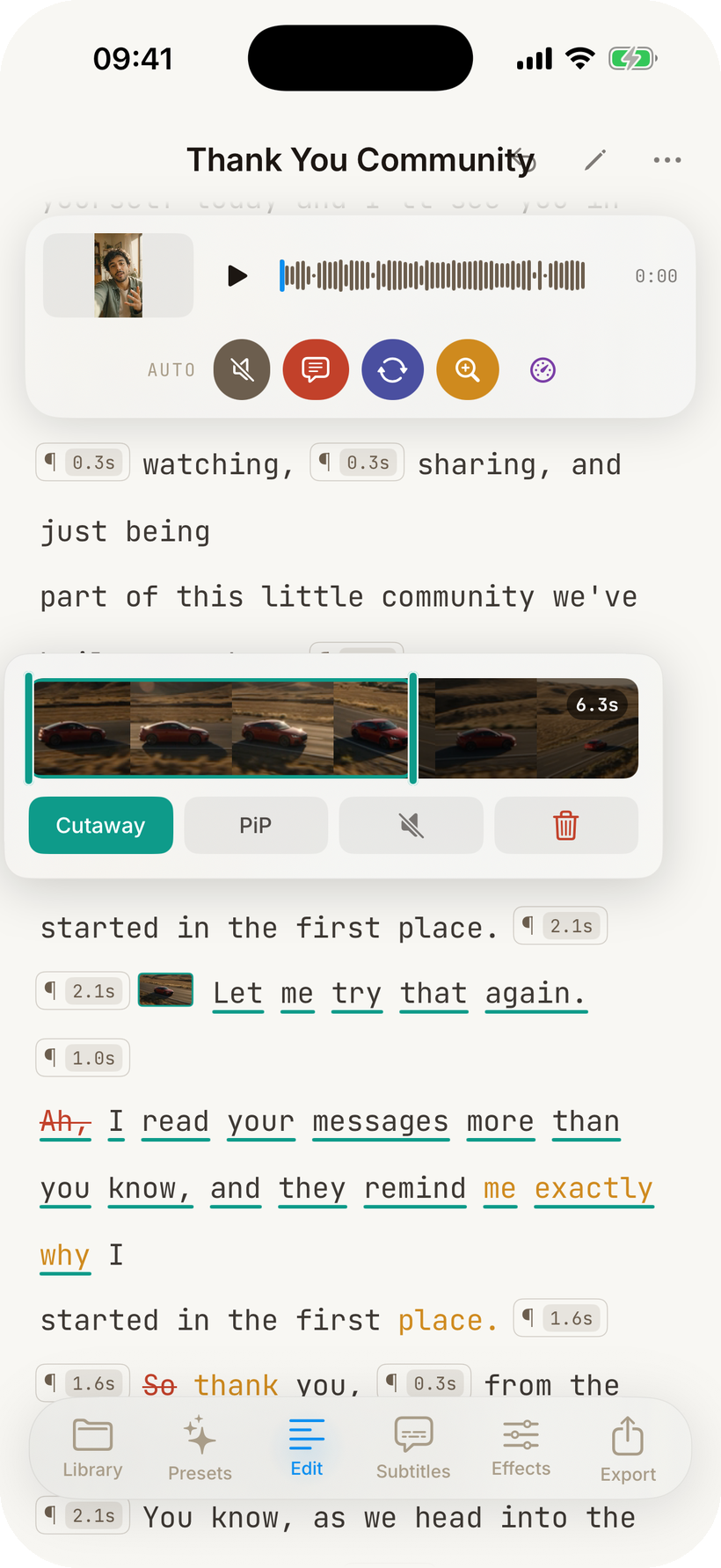
The preview sheet is wired to the words below. Every tap to cut, every filler trim, every speed change reflects instantly — no proxy render, no waiting.

Tap a word, the preview moves.

Scrub the timeline, the transcript follows. Pull the preview sheet down to take it full-screen; push it back up to keep editing.

Cuts Mobile preview with cut tags on the transcript below

Capture & import

Record a take, or pull a stack.

Open Cuts, tap the camera, record. The transcript starts as soon as you stop. Or pull one clip — or a whole batch — from Photos. Each file lands as its own paragraph in one continuous transcript.

The same transcript view, for every file.

Whether you record on the spot or stitch a batch together, you end up in the same place: the transcript, with the preview at the top.

Cuts Mobile transcript after a take is captured

Tags

Four reasons a word gets cut.

Each removed word is colored by why it was removed. Glance at the transcript and you can see the shape of the edit before you play the video.

Silence

Drops dead air between words. Three levels — minimum, medium, maximum.

Filler

Removes "um", "uh", "like" — refined by the on-device language model.

Retake

Cuts the first attempt of a repeated phrase, keeps the cleaner take.

Zoom

Marks emphatic moments and zooms into them at render time.

Effects

Filter, reframe, clean the audio.

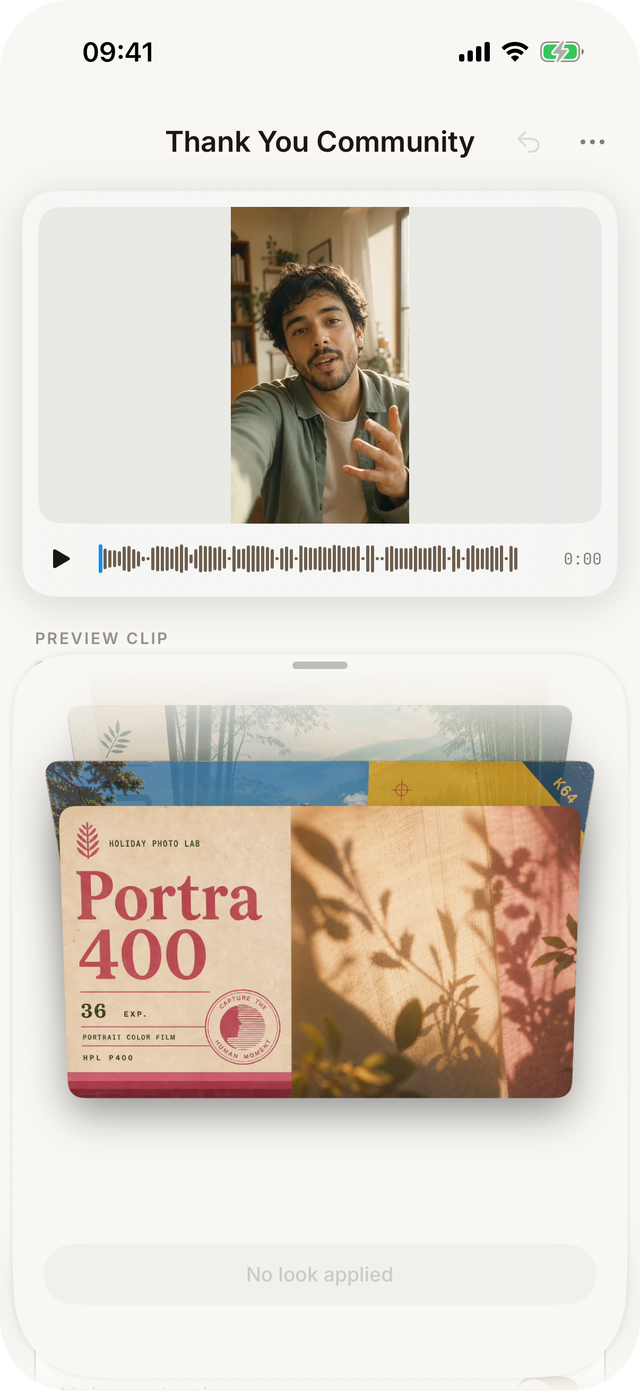
Five color filters, four aspect crops, four rotations, auto-enhance. Auto-reframe tracks the speaker's face for vertical 9:16 outputs. Equalize voice and Noise reduction handle the audio side from the same screen.

Per-clip effects.

The Preview Clip chips at the top scope every effect to the take you're tweaking. Toggles preview on a frame extracted at the midpoint of the clip.

Cuts Mobile effects screen with filter, aspect, rotation, audio toggles

Grading drawer.

Temperature, tint, exposure, contrast, saturation. Sliders live-render against the same midpoint frame. Filters and grading stack — apply Cinema and warm the temperature for a unified look.

Cuts Mobile grading drawer with sliders

Subtitles

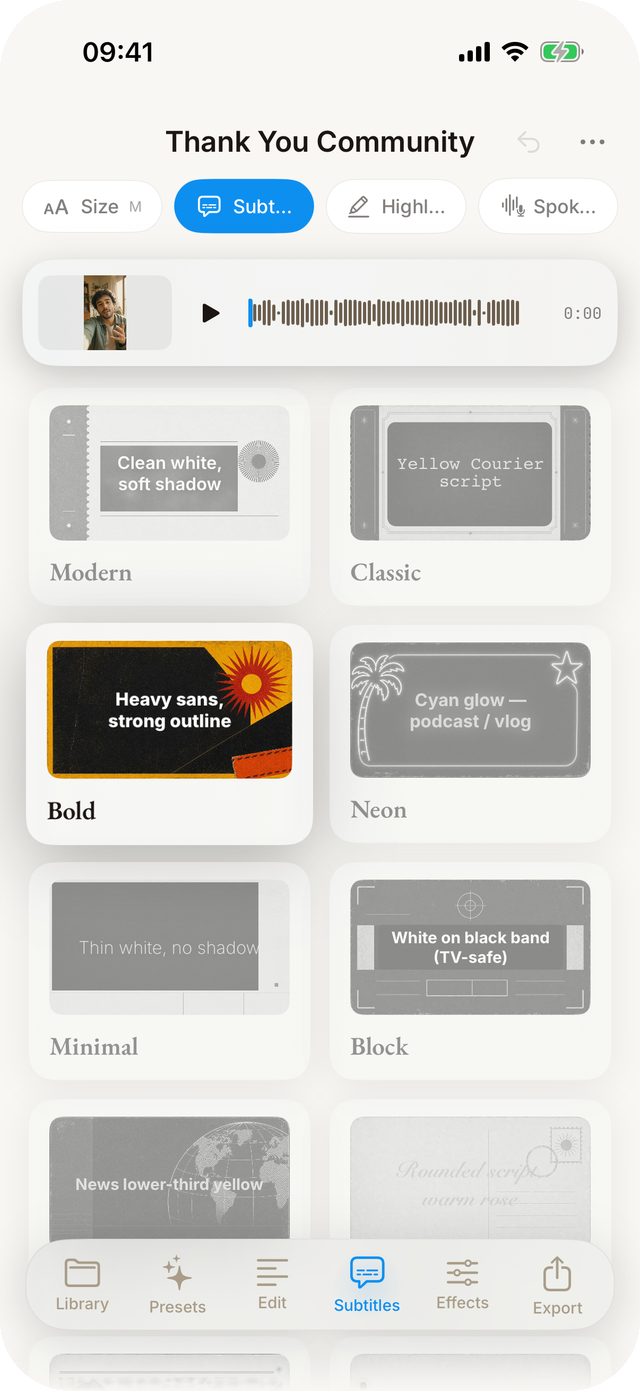
Burn-in subtitles in eight styles.

Modern, classic, bold, neon, minimal, block, caption, or handwritten. Toggle Highlight and the on-device language model picks the keywords that carry meaning instead of tinting every word.

Subtitle
Modern

White with a soft drop shadow. The default.

SUBTITLE
Classic

Yellow Courier. Documentary feel.

SUBTITLE
Bold

Heavy sans with a black outline. Holds up against bright footage.

SUBTITLE
Neon

Cyan glow. For podcast clips and night shots.

Subtitle
Minimal

Thin white, no shadow.

Subtitle
Block

White on black band. TV-safe.

Subtitle
Caption

News lower-third yellow.

Subtitle
Handwritten

Rounded script in warm rose.

Cuts Mobile subtitles tab with style cards

Export

Five presets, or roll your own.

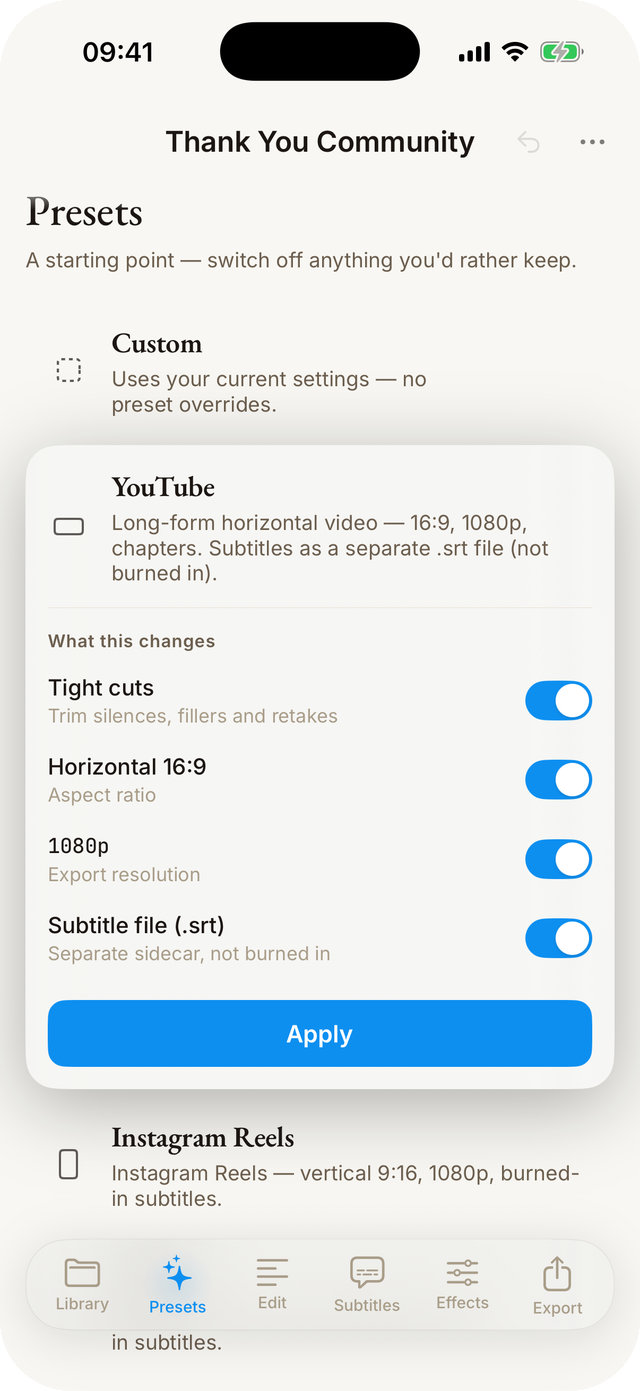
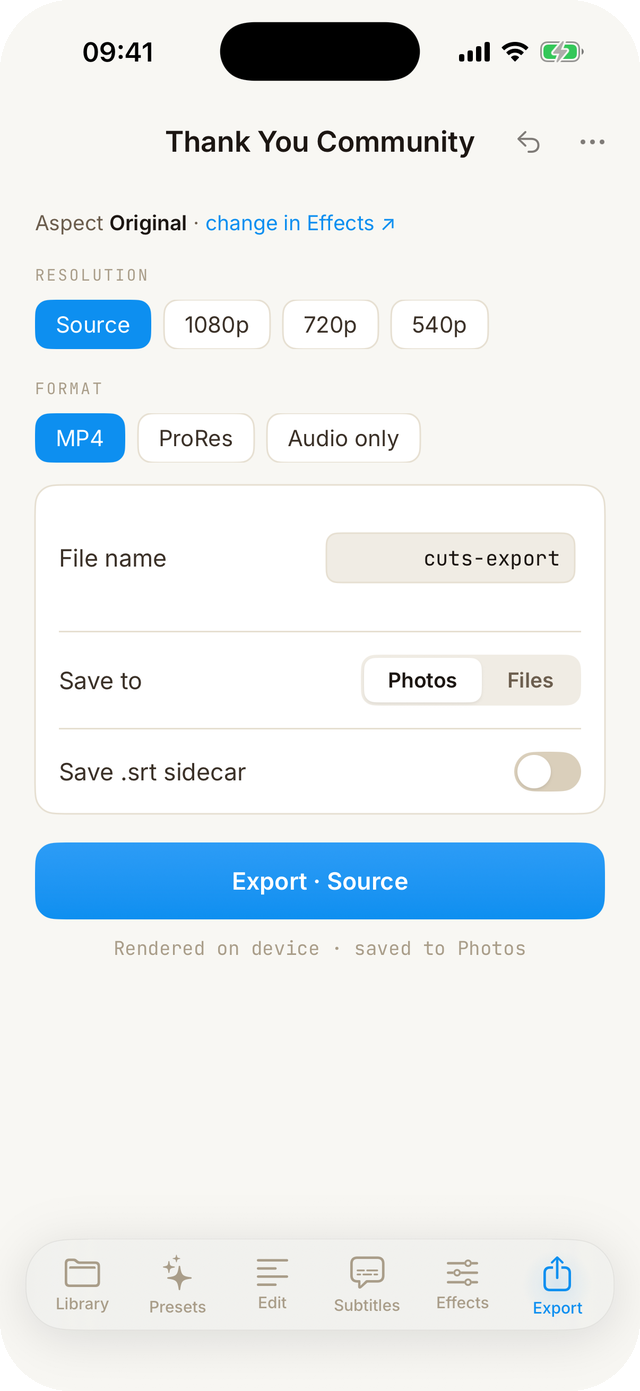
Custom, TikTok, Reels, Shorts, YouTube. Each preset bakes resolution, aspect, silence aggressiveness, and subtitles. Flip Audio only for a podcast cut, or tick Save transcript (.srt) for a sidecar caption file.

Pick a target, hit start.

Ships straight to Photos, or share to any app.

Cuts Mobile export screen with preset chips, resolution chips, and toggles

One-minute tour

Every screen, briefly.

On the App Store.

Download · App Store